What Is a POS System and How Can It Help Your Business?
Businesses need reliable systems to manage sales, payments, inventory, and customer interactions efficiently. A point-of-sale (POS) system can bring many of these functions together in one place. Instead of using a traditional cash register only to record transactions, businesses can use modern POS systems to process payments, track inventory, generate reports, manage employees, and improve the customer experience.
Whether you operate a retail store, restaurant, salon, healthcare practice, or service-based business, a POS system can help simplify everyday operations. It can also provide valuable information that helps business owners make better decisions.
What Is a POS System?
A POS system is a combination of hardware and software that businesses use to complete sales transactions and manage related business activities. POS stands for point of sale, which refers to the place where a customer completes a purchase.
A traditional cash register mainly records sales and stores cash. A modern POS system can do much more. Depending on the system and features selected, it may allow businesses to process credit and debit card payments through payment terminals, track inventory, manage customer information, monitor employee activity, and generate detailed sales reports.
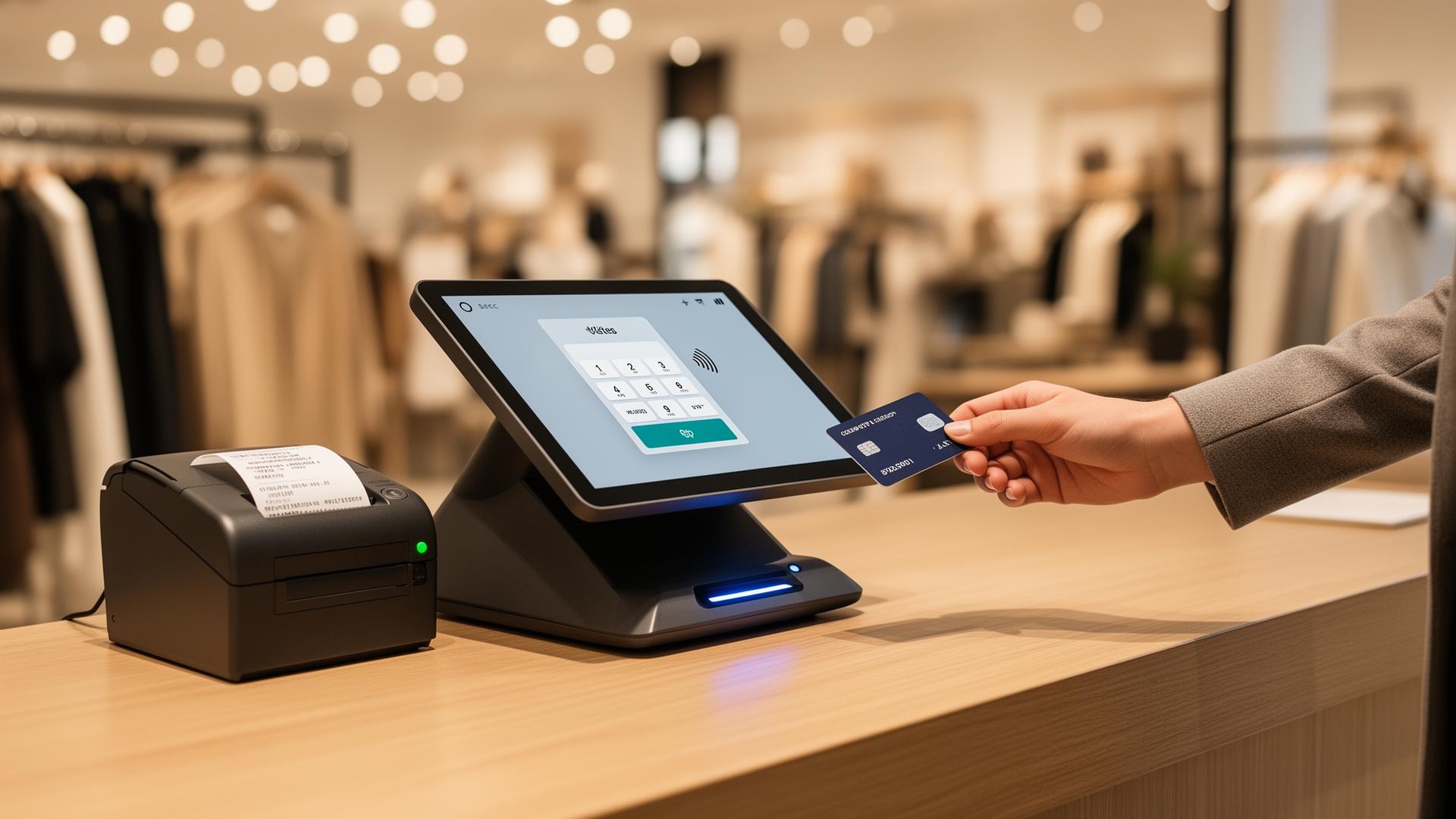
A typical POS setup may include a touchscreen or computer, barcode scanner, receipt printer, cash drawer, and card reader. The software connects these components and helps businesses manage transactions.
How Does a POS System Work?
A POS system works by combining sales, payment processing, and business management functions into one system. The process generally begins when a customer selects a product or service. The employee enters the item into the POS system manually or scans its barcode. The system then calculates the purchase total, including applicable taxes or discounts.
The customer selects a payment method, such as cash, credit card, debit card, or contactless payment. If the customer pays electronically, the POS system communicates with the payment processing system to authorize the transaction. Once the payment is approved, the transaction is recorded. Depending on the system, inventory levels may also be updated automatically.
What Happens During a POS Transaction?
A typical POS transaction involves several steps:
Products or services are entered into the system.
The POS calculates the purchase total.
Applicable taxes or discounts are added.
The customer selects a payment method.
Payment information is processed.
The transaction is approved or declined.
The sale is recorded.
Inventory may be updated.
A receipt is provided to the customer.
Although the process may appear simple, a POS system can record important information behind the transaction that businesses can later use for reporting and analysis.
How Does a POS System Process Payments?
A POS system can connect with payment processing services to accept electronic payments. When a customer uses a credit or debit card, the payment information is securely transmitted for authorization.
The payment processor communicates with the appropriate financial institutions and payment networks. If the transaction is approved, the POS system receives confirmation and completes the sale. Businesses can often accept multiple payment methods through the same POS setup, including traditional cards and contactless payments.
What Are the Main Components of a POS System?
A POS system generally consists of two major parts: hardware and software.
POS Hardware
The hardware is the physical equipment employees use to complete transactions. Common components include:
Touchscreen monitor or computer
Barcode scanner
Card reader
Receipt printer
Cash drawer
Customer-facing display
Mobile POS device
The hardware needed depends on the type of business. A retail store may require barcode scanners and receipt printers, while a mobile service business may primarily use a tablet or smartphone with a card reader.
POS Software
POS software provides the functions used to manage transactions and business operations. Common software features include:
Sales processing
Inventory management
Payment management
Employee management
Customer profiles
Sales reporting
Tax calculations
Discounts and promotions
Returns and exchanges
Loyalty program integration
Some POS platforms also integrate with accounting, e-commerce, payroll, scheduling, and other business software.
What Types of Businesses Can Use a POS System?
POS systems are used across many industries because most businesses need to manage transactions and customer payments.
Retail Stores
Retail businesses can use POS systems to scan products, process payments, track inventory, manage returns, and analyze sales.
Restaurants and Cafés
Restaurants can use POS systems to enter customer orders, process payments, manage tables, and integrate with kitchen or ordering systems.
Salons and Spas
Salons may use POS systems to process payments, manage appointments, track product sales, and maintain customer information.
Healthcare Businesses
Certain healthcare-related businesses can use specialized POS solutions to manage payments and administrative transactions while following applicable privacy and security requirements.
Service-Based Businesses
Service providers can use POS systems to accept payments, generate receipts, manage customer records, and track transactions.
Hospitality Businesses
Hotels and other hospitality businesses may use POS systems to manage payments across different services and locations.
Point of sale solutions can help these businesses streamline transactions and manage their payment operations more efficiently. The most suitable POS system depends on the business's industry, size, payment requirements, and operational needs.
What Features Should a POS System Have?
The right POS system should provide features that support the way a business operates.
Payment Processing
The system should support the payment methods customers commonly use, including credit cards, debit cards, and contactless payments.
Inventory Management
Businesses should be able to monitor inventory levels, track product sales, and identify items that need to be reordered.
Sales Reporting
Reporting tools can help business owners understand sales volume, revenue, product performance, and transaction trends.
Employee Management
Some POS systems allow businesses to create employee accounts, assign permissions, monitor sales activity, and track employee performance.
Customer Management
Customer management features can help businesses maintain customer profiles, purchase histories, loyalty information, and other relevant details.
Receipt and Invoicing Capabilities
POS systems can provide printed or digital receipts and may support invoices depending on the platform.
Multiple Payment Options
Customers increasingly expect flexibility when paying. A POS system that supports several payment options can make transactions more convenient.
Integrations
A POS system may integrate with accounting software, e-commerce platforms, inventory tools, scheduling applications, and other business systems.
How Can a POS System Help Your Business?
A POS system can provide benefits that go beyond simply completing transactions.
Make Checkout Faster and Easier
A well-designed POS system can simplify the checkout process. Employees can quickly scan products, calculate totals, apply discounts, and process payments. Faster checkout can reduce customer waiting times, particularly during busy periods.
Improve Payment Processing
Modern POS systems can support various payment methods through integrated payment processing. Customers can pay using cards, contactless methods, or other supported options. This flexibility can create a smoother payment experience.
Track Inventory More Efficiently
Inventory tracking is one of the most useful features of many POS systems. When a product is sold, the system can automatically update the recorded inventory level. This can make it easier to identify popular products, monitor stock levels, and plan future purchases.
Improve Sales Tracking and Reporting
POS systems can collect transaction data and organize it into reports. Business owners can use these reports to understand how much they are selling and which products or services are generating revenue.
Reports may include information about:
Daily sales
Weekly or monthly revenue
Product performance
Payment methods
Refunds
Discounts
Employee sales
Transaction volume
This information can support more informed business decisions.
Reduce Manual Errors
Manual data entry can create mistakes in prices, inventory counts, and transaction records. Automating parts of these processes can reduce the likelihood of certain human errors.
For example, scanning a barcode can automatically retrieve the correct product information and price.
Improve Customer Experience
Customers generally value quick and convenient transactions. A POS system can support faster checkout, multiple payment options, digital receipts, and easier returns. A specialty retail POS can also provide features tailored to the needs of specific retail businesses, helping create a smoother and more personalized shopping experience. Some systems can also store customer information and purchase histories, allowing businesses to provide more personalized service.
Manage Employees More Effectively
Businesses can use POS systems to create individual employee accounts and control access to specific functions.
Depending on the system, managers may be able to review employee sales activity and transaction information.
Support Business Growth
As a business grows, managing transactions and inventory manually can become increasingly difficult. A scalable POS system can help businesses manage larger transaction volumes and additional locations.
Some platforms allow businesses to connect multiple stores or sales channels to centralized management tools.
How Does a POS System Improve Inventory Management?
Inventory management can be challenging when businesses rely on spreadsheets or manual counts. A POS system can automatically record sales and adjust inventory information. This gives businesses a clearer picture of which products are available and which items are selling quickly.
For example, if a retail business sells several units of a product, the POS system can update the inventory count after each transaction. Business owners can then use this information to identify products that may need to be reordered. Inventory features can also help businesses identify slow-moving products, reduce unnecessary stock, and plan purchasing decisions.
How Can a POS System Improve Business Reporting?
Business owners need accurate information to understand how their operations are performing.
POS systems can automatically collect transaction information and organize it into useful reports. Instead of manually reviewing individual receipts, business owners can access summarized information through the POS software. Reports may help answer questions such as:
Which products sell the most?
What days generate the highest sales?
Which payment methods are most frequently used?
How much revenue was generated during a specific period?
Which employees processed the most transactions?
How many refunds were issued?
This information can help businesses identify trends and make decisions about inventory, staffing, pricing, and operations.
Can a POS System Improve Customer Experience?
Yes. A POS system can contribute to a smoother customer experience in several ways.
Faster Checkout
Employees can process transactions more efficiently, helping reduce waiting times.
Multiple Payment Options
Customers can use the payment methods they prefer, including cards and contactless payments when supported.
Digital Receipts
Digital receipts can provide a convenient alternative to printed receipts.
Easier Returns and Exchanges
Transaction records can make it easier for businesses to locate purchases and process eligible returns or exchanges.
Customer Loyalty Integration
ds and customer purchases. A merchant services provider can also help businesses connect payment processing and POS capabilities to support a smoother purchasing experience. Together, these features can make the purchasing process more convenient for customers.
What Is the Difference Between a Traditional Cash Register and a POS System?
A traditional cash register primarily records transactions and stores cash. A modern POS system combines transaction processing with broader business management capabilities.
Feature | Traditional Cash Register | POS System |
|---|---|---|
Sales processing | Yes | Yes |
Cash management | Yes | Yes |
Card payment integration | Limited or separate | Often integrated |
Inventory tracking | Limited | Advanced |
Sales reporting | Basic | Detailed |
Employee management | Limited | Available on many systems |
Customer management | Limited | Available on many systems |
Business integrations | Limited | Extensive options |
For businesses that need more than basic transaction recording, a POS system can provide significantly broader functionality.
How Much Does a POS System Cost?
The cost of a POS system varies depending on the hardware, software, features, payment processing arrangements, and business requirements.
Potential costs may include:
POS hardware
Software subscriptions
Payment processing fees
Installation or setup
Additional user accounts
Integrations
Maintenance or support
A small business with a simple setup may have different costs from a multi-location company that needs advanced inventory, employee, and reporting features. Businesses should consider the total cost of ownership rather than focusing only on the initial hardware price.
How Do You Choose the Right POS System for Your Business?
Choosing a POS system starts with understanding the business's current needs. Consider the products or services you sell, transaction volume, number of employees, payment methods, inventory requirements, and sales channels. Businesses should also evaluate:
Business Needs
Identify the features that are essential for daily operations.
Transaction Volume
Choose a system that can handle the number of transactions your business processes.
Features and Integrations
Make sure the POS can integrate with the tools your business already uses.
Pricing and Fees
Review software costs, hardware expenses, processing fees, and other charges.
Ease of Use
Employees should be able to learn the system without unnecessary complexity.
Security
Payment and customer information should be handled using appropriate security measures.
Customer Support
Reliable support can be important when technical problems affect sales.
Scalability
Consider whether the system can support additional employees, products, locations, or sales channels as the business grows.
FAQs About POS Systems
What does POS stand for?
POS stands for point of sale. It refers to the system businesses use to complete customer purchases and manage related transaction information.
What is the main purpose of a POS system?
The main purpose of a POS system is to process sales transactions. Modern POS systems can also provide inventory management, reporting, employee management, customer management, and other business functions.
Can a POS system process credit and debit card payments?
Yes. Many POS systems integrate with payment processing services that allow businesses to accept credit cards, debit cards, and contactless payments.
Can a POS system track inventory?
Yes. Many modern POS systems can automatically update inventory when products are sold. They may also provide low-stock alerts, product reports, and multi-location inventory tracking.
Is a POS system suitable for small businesses?
Yes. POS systems are available for businesses of different sizes. Small businesses can choose simpler solutions with the features they need and upgrade as their operations grow.
Conclusion
A POS system is more than a modern replacement for a cash register. It can serve as an important business management tool by combining sales processing, payment acceptance, inventory tracking, reporting, customer management, and other functions.
For businesses, the right POS system can make checkout faster, reduce manual work, improve inventory visibility, provide useful sales information, and create a more convenient customer experience.
Before choosing a solution, businesses should consider their industry, transaction volume, required features, budget, payment needs, integrations, security requirements, and future growth. Contact us today to learn more about POS solutions and find a payment system that can help your business operate more efficiently.